
Why Your Photography Business Needs a Professional Website
How to build a photography website on Squarespace starts with understanding why it’s the right platform for visual artists. For photographers needing to showcase work, attract clients, and run a business online, here’s the quick answer:
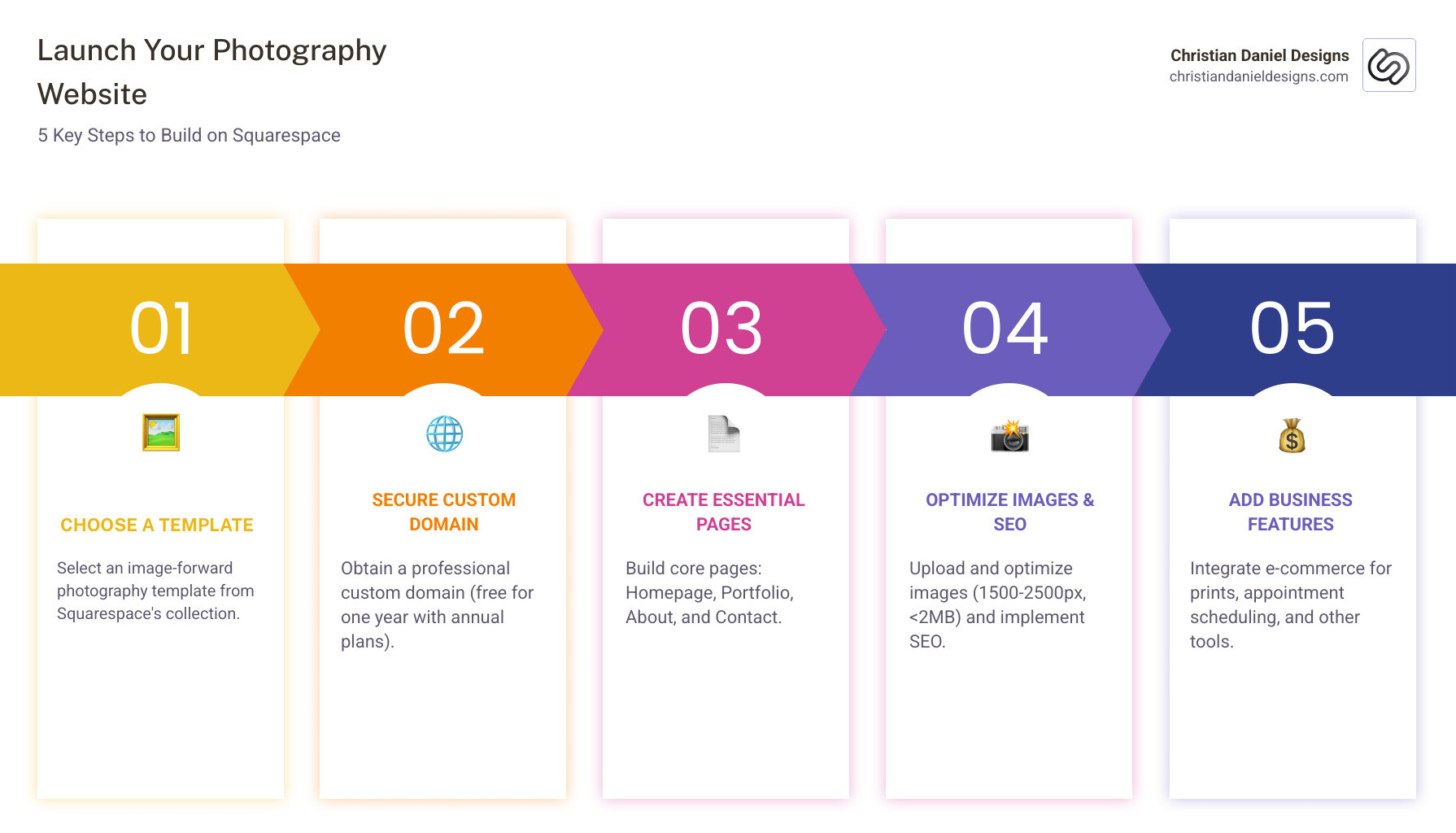
Quick Steps to Build Your Photography Website on Squarespace:
- Choose a photography template from Squarespace’s image-forward collection
- Secure a custom domain (free for one year with annual plans)
- Create essential pages (Homepage, Portfolio, About, Contact)
- Upload and optimize your images (1500-2500px width, under 2MB)
- Add business features (e-commerce for prints, appointment scheduling, SEO)
Your photography speaks volumes, but a professional website is crucial for potential clients to see it. Your online presence is often the first impression you make. Squarespace offers an all-in-one solution with stunning templates, built-in SEO, responsive design, and integrated e-commerce and scheduling tools, all without coding.
I’m Christian Daniel, an award-winning LGBTQ+ video editor and web designer based in New York City. I create custom websites and scroll-stopping visuals for hotels, restaurants, and small businesses, and I regularly help photographers turn simple portfolios into client-generating sites. This guide will walk you through every step on how to build a photography website on Squarespace so you can showcase your art and grow your revenue in a clear, practical way.
Why Squarespace is the Photographer’s Choice
Building a photography website is about creating a digital storefront, portfolio showcase, and client magnet in one. This is where Squarespace shines as the top pick for photographers.
Squarespace is celebrated for its stunning, “image-forward” templates that make your work the star of the show. It’s an all-in-one solution providing a portfolio, blog, e-commerce, and scheduling in one easy-to-use system, eliminating the need for complex coding or multiple platforms.
The platform’s Fluid Engine is a no-code, drag-and-drop editor that offers remarkable flexibility. You can easily resize and realign elements, giving you creative control without writing any code.
Furthermore, Squarespace websites are built with responsive design, ensuring your images look fantastic and load quickly on any device. This is crucial for keeping potential clients engaged.
Beyond aesthetics, Squarespace offers practical business tools, including a great blogging platform, solid e-commerce functionality, and an intuitive page editor. Built-in SEO features help grow your audience, and in-depth analytics let you track performance. The platform’s ease of use allows you to focus on your craft, empowering you to turn your passion into a thriving online business.
Step-by-Step: How to Build a Photography Website on Squarespace
Let’s walk through the essential steps to build a photography website on Squarespace that represents your brand.
Step 1: Choose the Right Photography Template for Your Niche
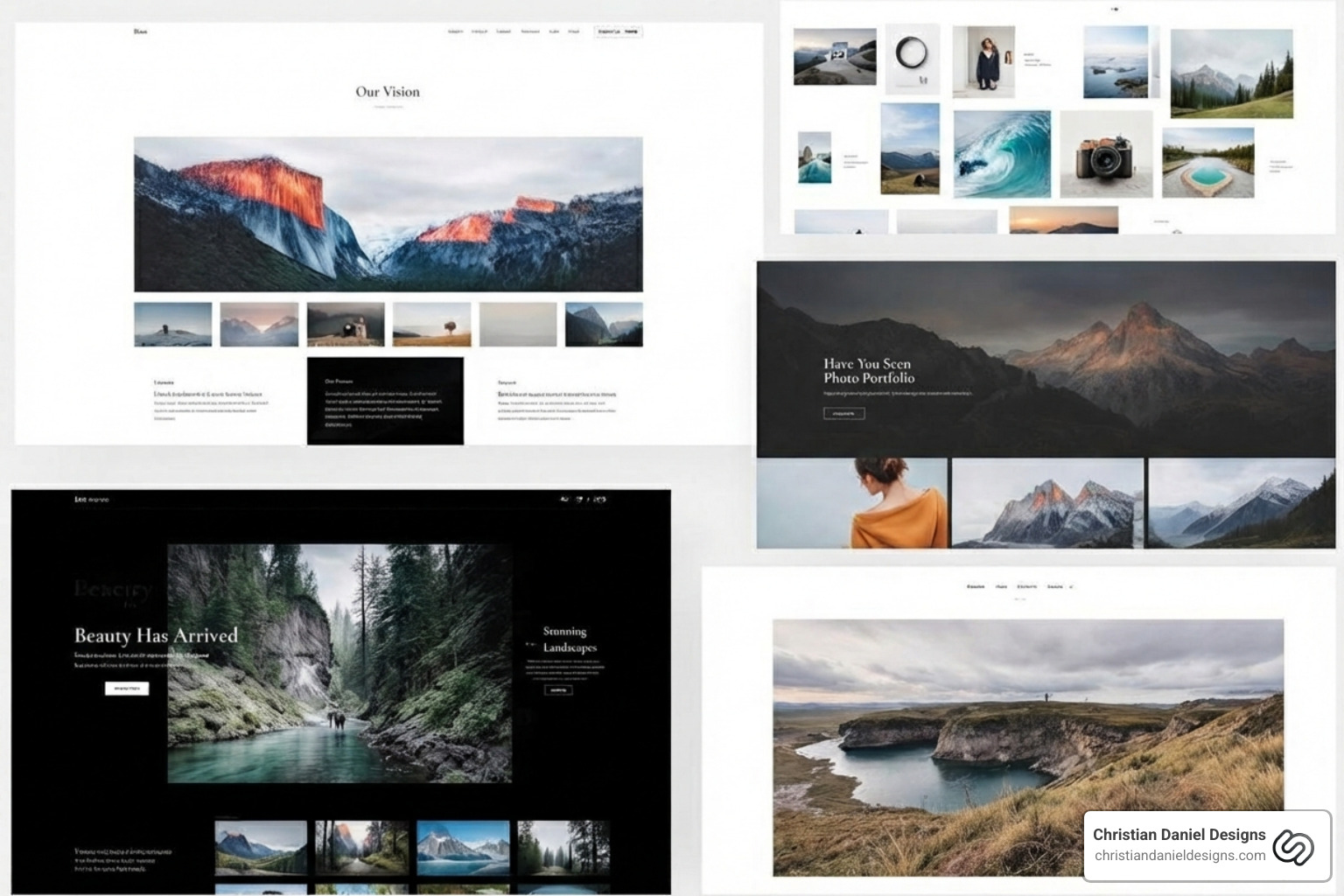
The foundation of your site is the template. Visit the template store and filter by “Photography.” When choosing, consider your niche. A wedding photographer might need large galleries, while a landscape photographer may prefer full-screen displays. Select a template that aligns with your visual style and required functionality.
For inspiration, look at sites from leading photographers or the Squarespace Collection collaboration with Magnum Photos. The goal is to select a template that looks good and has the features you need. You can always customize it later, but a strong visual base makes the process smoother. For more guidance, check our insights on Squarespace Website Designs.
Step 2: Secure Your Brand with a Custom Domain
A custom domain name is crucial for branding and credibility. A professional address like “yourphotographybusiness.com” conveys professionalism over a default Squarespace URL. Squarespace sites on an annual plan include a custom free domain for one year.
Ideally, your domain name should match your business name. If your preferred .com is taken, use Squarespace’s Domain Name Generator for ideas or consider alternatives like .co or .store. If you already own a domain, you can easily transfer it to Squarespace to consolidate management.
Step 3: Structure Your Site with Essential Pages
Good site navigation should be intuitive. Guide visitors seamlessly through your work and services with these essential pages:
- Homepage: Your digital storefront. It should feature your best work, state what you do, and guide visitors to the next step (e.g., view portfolio, contact).
- Portfolio Pages: The heart of your site. Create dedicated pages to showcase different projects or niches (e.g., Engagements, Ceremonies, Receptions).
- About Page: Share your story and passion to build trust and connect with clients.
- Contact Page: Make it easy for clients to reach you with a contact form, email, and social media links.
- Services/Pricing Page (Optional but Recommended): Clearly outline your packages to save time for you and your clients.
- Blog (Optional but Recommended): A powerful tool for SEO and connecting with your audience.
Use Squarespace’s Fluid Engine to add content blocks and arrange layouts with drag-and-drop simplicity. For more insights, see our guide on Squarespace Website Design.
Designing Your Portfolio and Optimizing for Impact
Now, let’s focus on creating an impactful portfolio and optimizing your images for the web.
How to build a photography website on Squarespace that showcases your work
Your portfolio is your visual resume. Create dedicated portfolio pages organized by project or category. Use gallery sections and gallery blocks with various layout options to arrange your photos:
- Grids: Display multiple images in a clean, scannable format.
- Slideshows: Create a dynamic, full-screen experience highlighting individual images.
- Masonry: Arrange images of different sizes into a cohesive, organic layout.
Many galleries include a lightbox feature, which expands a thumbnail to full-screen when clicked, creating an immersive experience. With Fluid Engine, you can create unique layouts combining images with text and buttons. “Less is more”—showcase your absolute best work. For more layout inspiration, see our Squarespace Designs.

Best Practices for Image Optimization on Squarespace
Image optimization is crucial for page speed, user experience, and SEO. While Squarespace sites have responsive design capabilities, you still need to prepare your images for optimal performance.
Here are our best practices:
- File Size: Keep the total media size on a page under 2 MB to optimize load times. Compress images before uploading, as large files slow down your site, especially on mobile.
- Image Dimensions: Use an image width of 1500 to 2500 pixels. This ensures optimal display quality without creating excessively large files that slow down your site.
- File Types: Use
.jpgfor most photos due to its good compression. Use.pngfor images needing transparent backgrounds. - File Naming: Use descriptive, keyword-rich file names like
nyc-wedding-photographer-central-park.jpgfor SEO. Use only letters, numbers, underscores, and hyphens. - Squarespace’s Built-in Tools: Use Squarespace’s built-in editing tools and free Image Resizer to crop and optimize images.
Following these practices ensures your photography loads quickly and looks crisp.
Essential SEO to Get Your Photography Found
A beautiful website is useless if no one can find it. SEO makes your site visible to clients on search engines. Squarespace offers built-in SEO features to help.
Here’s how to leverage Squarespace’s SEO:
- Alt Text for Images: This is critical. Alt text describes images for search engines and visually impaired users. It helps search engines understand your photos, improving image search ranking. Use descriptive keywords (e.g., “Brooklyn Bridge engagement photo at sunset”).
- Page Titles and Meta Descriptions: These snippets appear in search results. Make page titles compelling with primary keywords (e.g., “NYC Wedding Photographer | [Your Business Name]”). Write concise meta descriptions that entice clicks.
- URL Slugs: Keep URLs clean and keyword-rich (e.g.,
yourwebsite.com/nyc-wedding-portfolio). - Local SEO: For photographers in specific locations like NYC, include your business address, phone number, and location-specific keywords on your site. A Google My Business profile is also powerful.
- Keywords: Use keywords your target clients are searching for, like “Manhattan portrait photographer” or “food photography Brooklyn.”
- Blogging for SEO: A blog is an SEO powerhouse. Regularly publishing relevant content creates more opportunities to rank for keywords and attract traffic.
By focusing on these SEO fundamentals, you’ll increase the chances of the right clients finding your website.
Turning Your Website into a Business Engine
A photography website is a powerful tool for generating income. Squarespace provides robust features to monetize your work and streamline business operations.
How to build a photography website on Squarespace to sell prints and services
Selling prints and digital products is a natural extension of your art. Squarespace’s e-commerce features make it easy to set up an online store to sell physical prints, digital downloads, or courses. You can add products, manage inventory, process payments with Stripe or PayPal, and handle shipping.
To simplify further, use print-on-demand extensions like Printique. They sell prints without you handling inventory or shipping; the service prints and ships orders directly to customers, freeing up your time. For more guidance, explore our Squarespace Ecommerce Website resources.
Integrating Client Bookings with Appointment Scheduling
Manually coordinating appointments is a time drain. Integrating appointment scheduling into your Squarespace site is a game-changer. Squarespace’s Acuity Scheduling can be added with a scheduling block and includes tools to:
- Book Appointments: Clients can view your real-time availability and book sessions 24/7 on your site.
- Schedule Shoots: Define different service types with set durations and pricing.
- Send Automated Reminders: Reduce no-shows with automatic email or text reminders.
- Accept Payments: Require deposits or full payment at the time of booking.
- Calendar Integration: Sync with Google Calendar or Outlook to prevent double bookings.
Offering online scheduling provides a professional experience for clients and frees up your administrative time. Find out more on our Squarespace for Small Business page.
Promoting Your Work with Social Media and Analytics
Once your site is live, promote it. Understanding your audience is vital for growth. Squarespace provides tools for social media integration and in-depth analytics.
- Social Media Integration: Connect your site with platforms like Instagram and Facebook. You can embed your Instagram feed to showcase recent work, drive traffic between platforms, and build a community.
- Squarespace Analytics: The built-in analytics dashboard provides powerful insights. You can track:
- Visitor Activity: See who is visiting, which pages are popular, and how long they stay.
- Content Performance: Identify your most popular photos and posts.
- Traffic Sources: Find out where your visitors are coming from (e.g., Google, social media).
- Sales Data: Track product sales, revenue, and conversion rates.
Regularly reviewing analytics helps you refine your content and marketing to attract more clients. You can also use Squarespace Email Campaigns to promote new work to your subscribers.
Frequently Asked Questions about Building a Squarespace Photography Site
Here are answers to common questions from photographers building their online presence.
What’s the difference between a portfolio site and a full business site?
The distinction lies in their primary purpose and functionality:
- Portfolio Site: The main goal is to showcase art. It’s typically minimalist, featuring your best work, an about section, and a contact form. It’s ideal for displaying your skill and aesthetic to galleries or collaborators.
- Full Business Site: This site is designed for client conversion and revenue. It includes a strong portfolio plus business functionalities like e-commerce, appointment scheduling, pricing pages, a blog, and client galleries.
Squarespace is excellent for both. A full business site turns your passion into a sustainable income stream, while a portfolio site is more about pure artistic presentation.
What are common mistakes to avoid when building my site?
Even on a user-friendly platform like Squarespace, it’s easy to make mistakes. Here are common pitfalls to avoid:
- Poor Image Optimization: Uncompressed images cause slow load times, while low-quality images look blurry. Follow best practices: optimize images for the web (1500-2500px width, under 2MB total per page).
- Overloading Portfolios: “Less is more.” Curate your absolute best work to showcase your range and skill without overwhelming the viewer.
- Unclear Navigation: Ensure your navigation menu is intuitive and clearly labeled so visitors can easily find your portfolio, services, and contact information.
- No Clear Call-to-Action (CTA): Make it obvious what you want visitors to do (e.g., “Book a Session,” “Buy Prints”) with prominent buttons or links.
- Inconsistent Branding: Your website’s colors, fonts, and overall aesthetic should reflect your unique photographic style.
- Ignoring Mobile Responsiveness: Always preview your site on mobile devices to ensure the layout and images look great, as most people browse on their phones.
How good is Squarespace’s customer support for photographers?
Knowing help is available is reassuring. Squarespace has an award-winning Customer Support team and offers robust resources:
- 24/7 Support: Get assistance anytime via 24/7 support through email and live chat.
- Help Center: The comprehensive Help Center has articles and guides on every aspect of managing a Squarespace site.
- Webinars: Squarespace provides free online sessions and webinars to help you learn the basics.
- Community Forum: Join the Artists and Photographers club on the Squarespace Forum to connect with other users.
Overall, Squarespace’s support resources are designed to empower photographers to successfully build and manage their online presence.
Conclusion: Launch Your Professional Photography Website
We’ve covered how to build a photography website on Squarespace, from template selection to business integration. Squarespace offers an all-in-one solution with the creative control and robust features needed to turn a portfolio into a thriving business.
By following these steps, you can create a professional online presence that showcases your work, attracts new clients, and streamlines your operations. This allows you to focus on your passion: photography.
If you’re a photographer in New York City looking to lift your online presence with a custom, high-performing website, we at Christian Daniel Designs are here to help. We specialize in crafting bespoke Squarespace sites that capture your unique vision and drive business growth. Get started with your professional Squarespace website design today and open up the full potential of your photography portfolio.

