Why Your Music Career Needs a Professional Website in 2026
Squarespace for musicians is one of the most effective ways to build a polished, professional online presence — without needing to write a single line of code.
Here's a quick snapshot of what it offers:
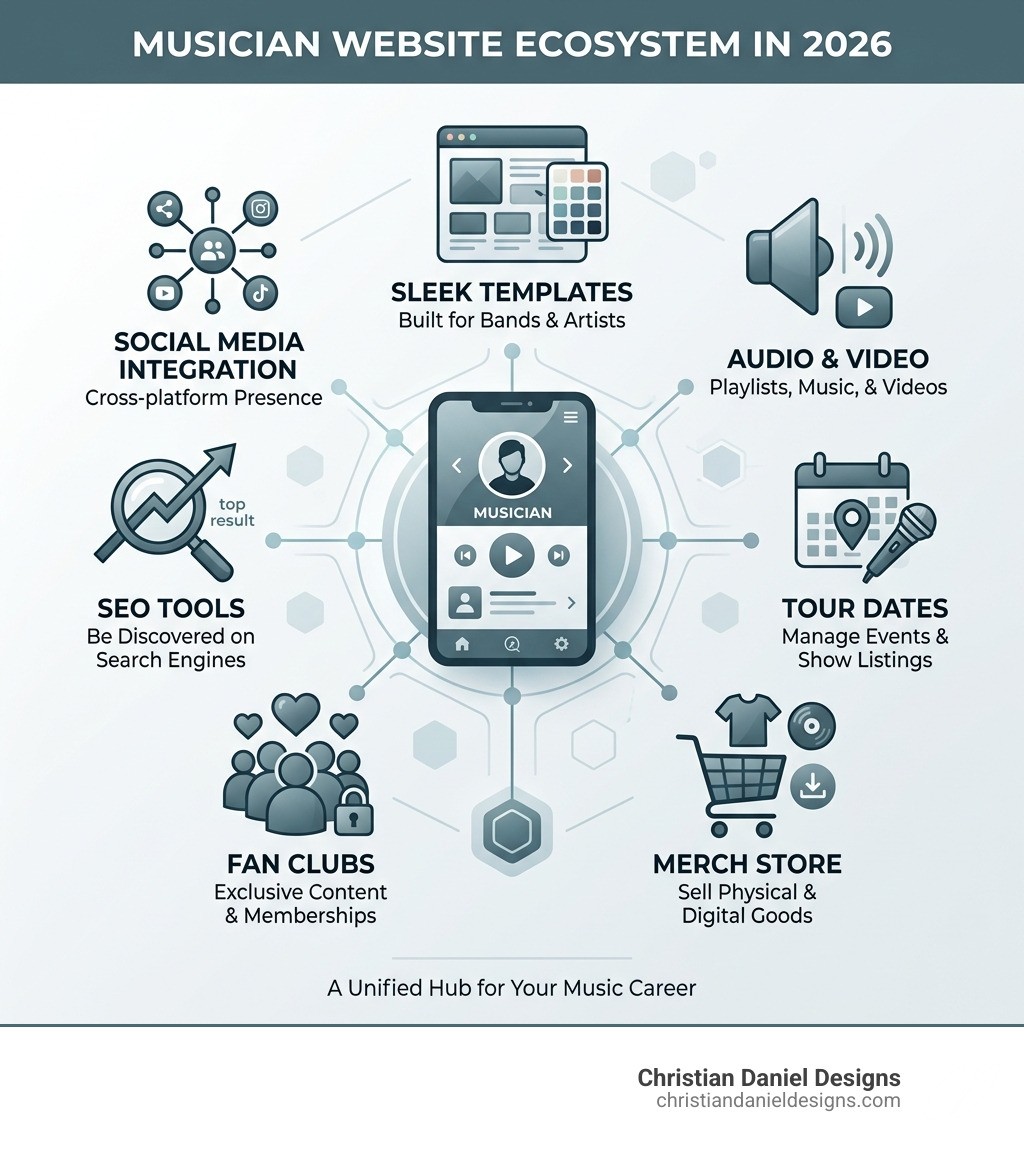
Feature | What It Means for You |
|---|---|
Music-ready templates | Designs built for bands, DJs, and solo artists |
Audio & video blocks | Embed Spotify, SoundCloud, or upload tracks directly |
Tour date management | Events pages + Bandsintown integration |
Merch & digital sales | Sell physical goods and downloads in one store |
Member Areas | Offer exclusive fan content and recurring memberships |
Mobile responsive | Looks great on every device, automatically |
SEO tools built in | Help fans find you on Google |
The music industry has moved online — and social media alone isn't enough. Algorithms change, platforms come and go, and you don't own your audience on Instagram or TikTok. A dedicated website gives you a home base you control.
Whether you're a touring band, a bedroom producer, or a DJ booking private events, your website needs to do more than list your Spotify link. It should showcase your sound, sell your merch, grow your email list, and convert curious visitors into loyal fans.
I'm Christian Daniel, a Squarespace Circle Gold Partner and award-winning web designer with over 20 years of experience building sites for creative professionals — including musician websites on Squarespace. In this guide, I'll walk you through everything I've learned so you can build a site that actually works for your music career.
Why I Recommend Squarespace for Musicians in 2026
As a designer based in NYC, I’ve seen platforms come and go, but in 2026, I still firmly believe that Squarespace for musicians is the gold standard. Why? Because it prioritizes visual storytelling without the technical headache. When you are an artist, your brand is your currency. You need a site that looks as high-end as your production sounds.
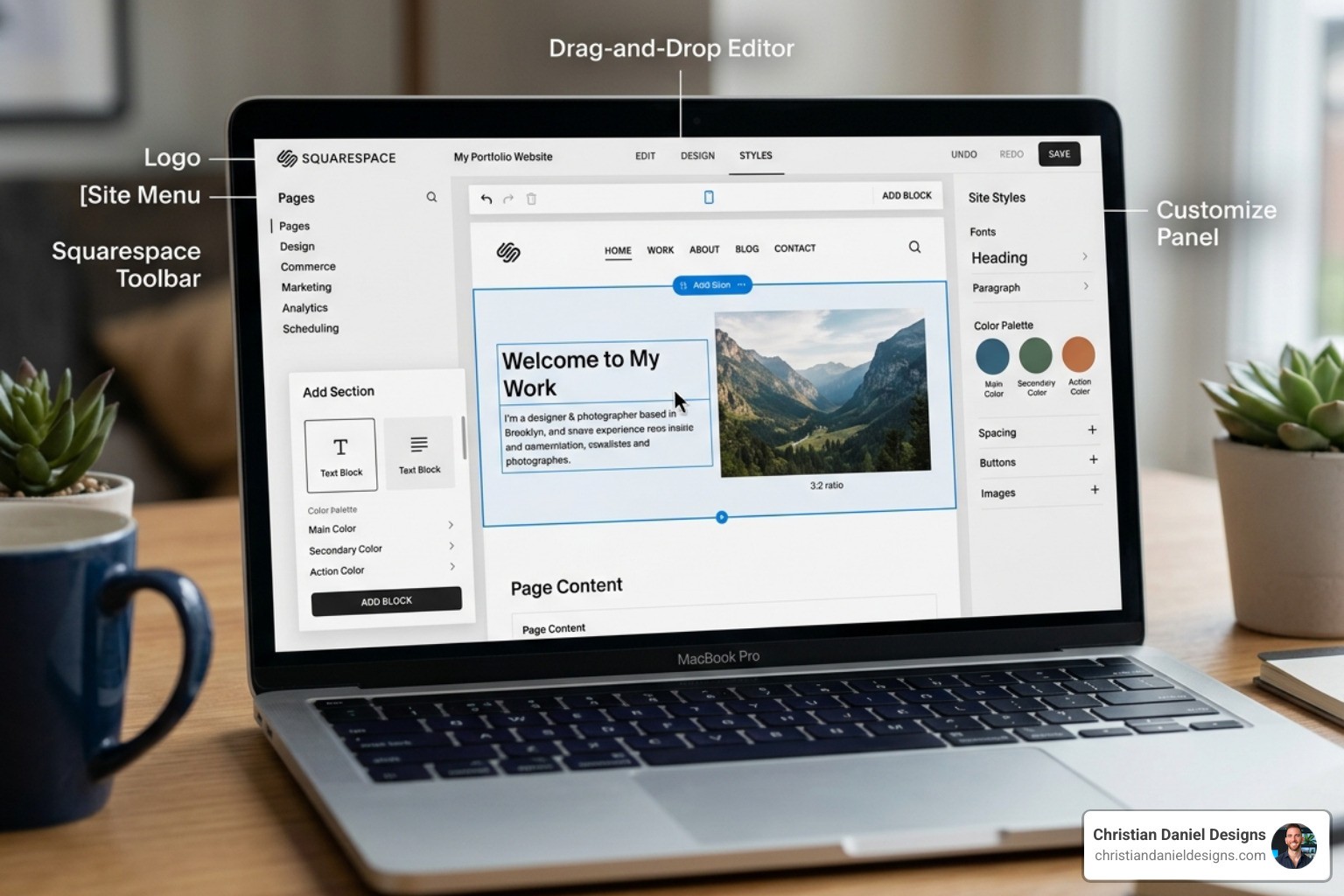
Squarespace’s latest "Fluid Engine" editor is a game-changer for artists. It uses a grid-based drag-and-drop system that allows for total creative freedom. You can overlap images with text, create unique collages of tour photos, and place your "Play" buttons exactly where they’ll get the most clicks. It’s about more than just a pretty face; it’s about a platform that handles the heavy lifting of Building a musician or band site – Squarespace Help Center so you can get back to the studio.
If you’ve ever wondered What is Squarespace and Why Do So Many Businesses Use It, the answer for musicians is simple: reliability. It’s an all-in-one system. You don’t have to worry about security plugins or hosting updates. Your site stays live even when your latest single goes viral and traffic spikes.
Setting Up Your Site Step-by-Step
Getting started is less intimidating than writing a bridge for a difficult track. Here is my recommended workflow:
Domain Selection: If you don't own your artist name as a .com yet, do it now. Squarespace offers a free domain for the first year on most plans. Keep it simple: ArtistName.com or ArtistNameMusic.com.
Choose a Template: Don't get hung up on the demo photos. Look at the structure. Do you want a big hero image? A list of tour dates on the front page? Pick a starting point that matches your goals.
Replace Demo Content: Swap the stock photos for your high-res press shots. Replace the placeholder text with your bio.
Site Styles: This is where you set your "vibe." Choose fonts that match your genre—bold sans-serifs for electronic music, or elegant serifs for indie-folk.
Mobile Preview: Always, always click the mobile icon in the editor. Most of your fans will find you via a link in your Instagram bio, meaning they’ll see the mobile version first.
Mobile Responsiveness and Customization
In 2026, a website that isn't mobile-friendly is essentially invisible. One of the reasons I steer clients toward Squarespace for musicians is its built-in responsiveness. The platform automatically scales your images and stacks your content for smaller screens.
However, with Fluid Engine, you have the power to customize the mobile view independently. You can hide certain large images on mobile to speed up load times or move your "Listen Now" button to the very top of the screen. This level of font scaling and layout control ensures your brand consistency remains intact, whether someone is looking at a 27-inch iMac or an iPhone.
Choosing the Best Templates for Your Sound
Not all templates are created equal. While you can technically build anything from scratch, starting with a music-specific layout saves hours of work. The best squarespace for musicians templates come pre-loaded with the pages you actually need: Music, Tour, Merch, and Press.
Template | Best For | Key Feature |
|---|---|---|
Vandam | Touring Bands | Prominent tour dates & bold headers |
Kitui | Solo Artists | Dark, atmospheric aesthetic & merch focus |
Waverly | DJs & Producers | Minimalist layout & SoundCloud integration |
Top Picks for Bands and Solo Artists
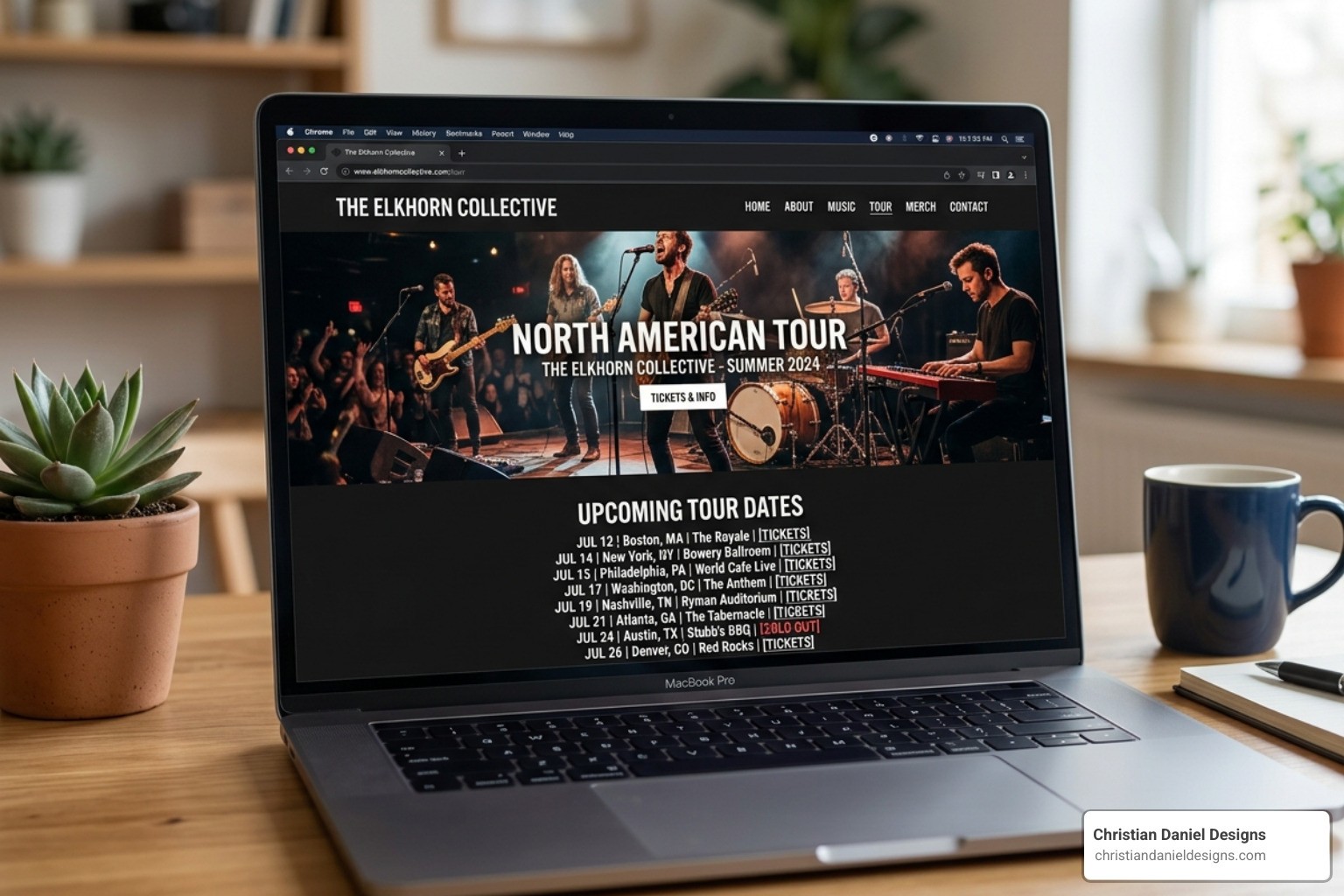
For bands that are actively gigging, Vandam is the heavyweight champion. It’s designed to make your tour schedule the star of the show. It features high-contrast typography and a layout that handles large-scale photography beautifully. If you want a more "moody" or "indie" feel, Kitui uses a dark color palette that makes album art pop.
I’ve used these foundations for many Musician Squarespace Website Design projects because they provide a professional scaffolding that we can then customize into something completely unique.
Best Squarespace for Musicians Options for DJs and Producers
If you’re a DJ or a producer, your needs are different. You likely care more about "the mix" and "the look" than a list of 50 tour dates. Waverly is a fantastic minimalist choice. It’s clean, airy, and puts the focus on your portfolio grid—perfect for showcasing different projects or live sets.
Cruz is another favorite for producers because of its excellent gallery features. You can create a visual discography where each album cover links to a different streaming service or a secret "behind-the-scenes" page. Both of these integrate seamlessly with SoundCloud, allowing fans to hear your latest tracks without leaving your site.
Essential Features: Music Players, Tours, and Fan Clubs
A music site without music is just a brochure. Squarespace for musicians offers several ways to let your fans hear your work. You can use the native Audio Block to upload tracks directly (great for high-quality WAVs or exclusive demos), or you can use the SoundCloud and Spotify blocks to embed your existing profiles.
According to the Band & Musician Websites: Music Website Builder — Squarespace guide, these blocks are fully customizable to match your site's colors. This prevents that "clunky" look you often get when pasting external code into a website.
Managing Tour Dates with Bandsintown
If you’re touring, you don't want to manually update your website every time a venue changes or a show sells out. Squarespace has a native integration with Bandsintown.
You simply connect your account, and your tour dates will automatically sync to your "Events" page. It includes "RSVP" and "Buy Tickets" buttons that look like they were built specifically for your site. This automation is a lifesaver when you're on the road and don't have time to log into your site's backend every night.
Building a Fan Club with Member Areas
The biggest trend in 2026 is the "direct-to-fan" economy. Instead of relying on fractions of a cent from streaming, musicians are building their own fan clubs. Squarespace’s Member Areas (and third-party tools like MemberSpace) allow you to gate-keep exclusive content.
You can offer:
Early access to new tracks.
Exclusive merch drops.
Private "studio diary" videos.
A "pay-what-you-want" fan club tier.
This creates a recurring revenue stream that you actually own. If you’re new to selling online, I recommend checking out this Squarespace E-Commerce: Your Step-by-Step Guide to Selling Online to understand how to set up your payment gateways securely.
Monetizing Your Brand: Merch and Digital Sales
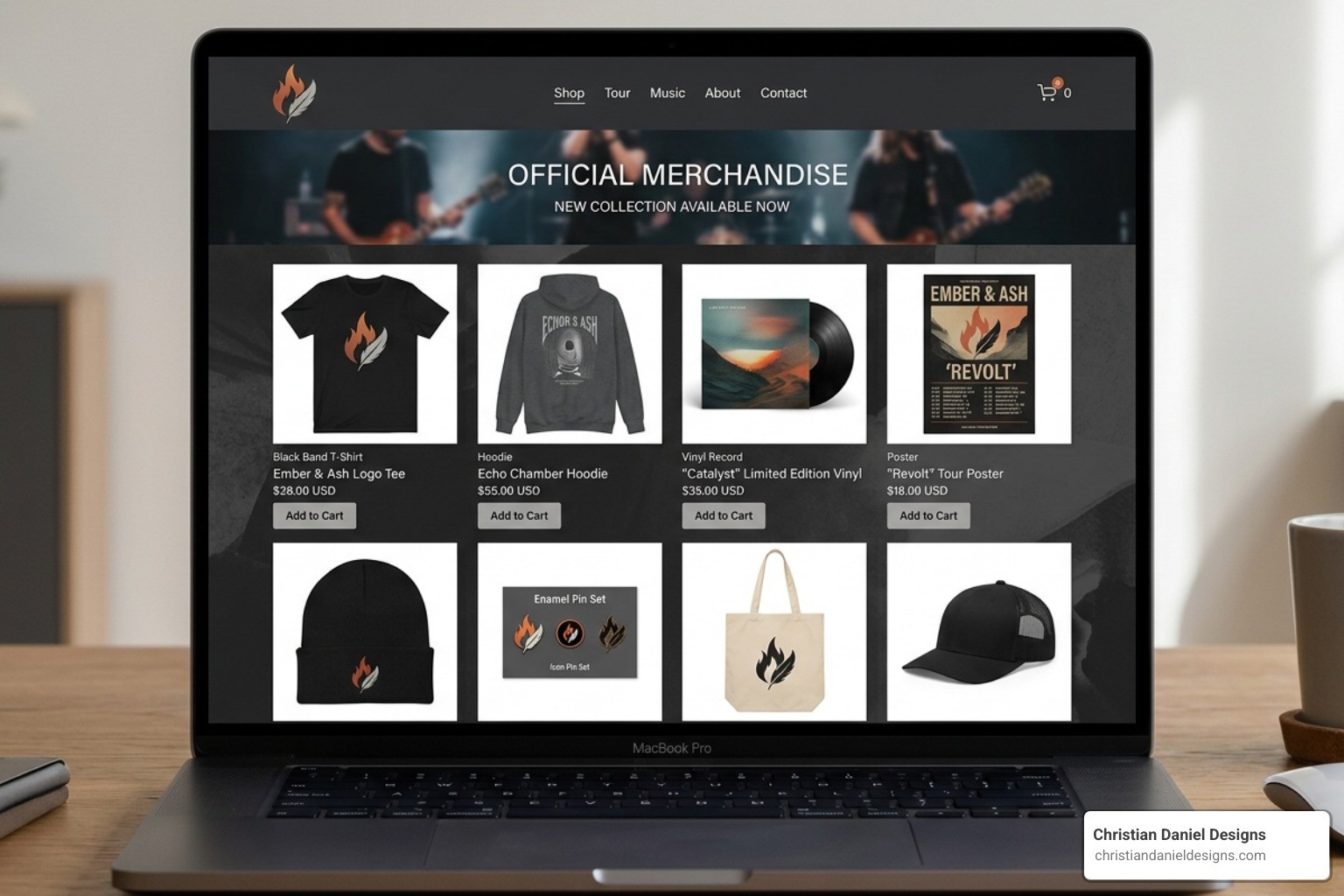
Merch is often the difference between a profitable tour and a losing one. Your squarespace for musicians site can handle both physical and digital goods with ease.
For physical merch like t-shirts and vinyl, you can use the built-in store. If you don't want to carry inventory, Squarespace integrates perfectly with Printful. When a fan buys a shirt on your site, Printful prints and ships it automatically. You just keep the profit.
For digital sales, you can sell high-quality downloads, sheet music PDFs, or even sample packs. Once the fan pays, they receive an automated, secure link to download the files.
Handling Transaction Fees and Pricing Plans
I often get asked which plan is best for artists. Here is the breakdown:
Personal Plan ($16/mo): Great if you just need a portfolio and a bio. You cannot sell products on this plan.
Core Plan ($23/mo): This is the "sweet spot" for most musicians. You get a full e-commerce store with 0% transaction fees from Squarespace.
Business Plan: While cheaper than Core, it charges a 3% transaction fee. If you plan on selling more than a few shirts a month, the Core plan pays for itself instantly.
Optimizing Your Squarespace for Musicians SEO
"If you build it, they will come" does not apply to the internet. You need SEO (Search Engine Optimization) so that when someone searches your name, your website shows up above your social media profiles.
Meta Descriptions: Write a clear 160-character summary for every page. "Official website for [Artist Name], featuring new music, tour dates, and exclusive merch."
Alt Text: Don't just upload "IMG_456.jpg." Rename it to "Artist-Name-Live-at-Madison-Square-Garden.jpg" so Google Images can index it.
Keyword-Rich Copy: Mention your genre and city. If you're an "Indie Rock Band in Brooklyn," make sure those words appear on your About page.
Site Speed: Don't upload 20MB uncompressed photos. Use tools to shrink your images so your site loads instantly on mobile.
I've implemented these strategies across dozens of Web Design Projects to ensure my clients don't just have pretty sites, but visible ones.
Frequently Asked Questions about Squarespace for Musicians
Can I sell tickets directly on my website?
Yes and no. While you can sell "tickets" as a digital product, I usually recommend integrating with Eventbrite or Bandsintown. These platforms handle the complex parts of ticketing (like QR code scanning at the door) much better. You can embed their widgets directly into your Squarespace "Tour" page so the fan never feels like they've left your site.
How do I connect my Spotify and SoundCloud profiles?
It’s incredibly simple. You can add "Social Links" to your header or footer that use the official icons for Spotify, Apple Music, and SoundCloud. Additionally, using the "Embed Block," you can paste a link to any song or playlist, and Squarespace will automatically generate a beautiful, playable player.
Is it possible to offer high-quality digital downloads?
Absolutely. Unlike some other builders that compress your files, Squarespace allows you to upload large file formats. If you want to sell FLAC or WAV files for the audiophiles in your fanbase, you can. Just be mindful of the 300MB limit per individual file.
Conclusion
Building a website is an investment in your career's longevity. While social media is great for "the now," your website is for "the forever." It’s where your history lives, where your most loyal fans congregate, and where you keep 100% of the profit from your hard work.
At Christian Daniel Designs, I specialize in helping artists in NYC and beyond bridge the gap between great music and great design. By combining custom Squarespace development with professional video editing, I help you tell a digital story that captures attention and converts casual listeners into lifelong supporters.
If you're ready to stop fighting the social media algorithms and start building your own empire, I'd love to help. View my latest projects to see how we can elevate your sound with a world-class digital presence.