What Is Squarespace and Why Do So Many Businesses Use It?
Squarespace is an all-in-one website building and hosting platform that lets you create a professional website without writing a single line of code.
Here's a quick overview of what it offers:
Feature | Details |
|---|---|
Plans | Basic ($16/mo), Core ($23/mo), Plus ($39/mo), Advanced ($99/mo) |
Free Trial | 14 days, no credit card required |
Best For | Small businesses, creatives, restaurants, ecommerce |
Key Tools | Drag-and-drop editor, SEO, email marketing, scheduling, ecommerce |
Support | 24/7 customer support |
Used By | 14M+ entrepreneurs across 200+ countries |
It's a Software-as-a-Service (SaaS) platform — meaning everything runs in your browser, with no servers to manage and no plugins to update. You get hosting, design tools, ecommerce, and marketing all bundled into one subscription.
That combination is exactly why over 4 million active subscriptions run on Squarespace today, and why entrepreneurs using the platform have collectively earned more than $36 billion.
Whether you run a boutique hotel, a restaurant, or a growing small business, Squarespace gives you a polished online presence — fast.
I'm Christian Daniel, a Squarespace Circle Gold Partner and web designer with over 20 years of experience building high-converting websites on platforms including Squarespace, and I've seen how the right setup can transform a business's digital presence. In this guide, I'll walk you through everything you need to know to make a confident decision about whether Squarespace is the right fit for you.
The History and Growth of the Squarespace Ecosystem
To understand why Squarespace is such a powerhouse in April 2026, I find it helpful to look back at its "dorm room" roots. The company was founded in 2003 by Anthony Casalena while he was a student at the University of Maryland. What started as a personal project to create a better blogging tool for himself eventually grew into a global leader in the SaaS space.
According to the About Us - Squarespace page, the company has hit some staggering milestones over the last two decades. By 2023, the platform was generating $1.01 billion in annual revenue and employing over 1,700 people. Its influence is massive; currently, Squarespace powers approximately 1.9% of the top 10 million websites globally.
One of the biggest shifts in the company's history occurred recently. In October 2024, Squarespace was acquired by the private equity firm Permira for a whopping $7.2 billion. This move followed another major strategic play: the acquisition of Google Domains. This deal brought roughly 10 million registered domain names under the Squarespace umbrella, making them one of the largest domain registrars in existence.
From its humble beginnings to being a Super Bowl-advertising giant (who could forget those John Malkovich or Keanu Reeves ads?), Squarespace has evolved from a simple DIY blog host into a comprehensive ecosystem for modern commerce.
Choosing the Right Squarespace Plan for Your Goals
One of the most common questions I get from clients in New York City is: "Which plan do I actually need?" Squarespace keeps its pricing relatively straightforward, but the jump between tiers often depends on how much you plan to sell.
If you are feeling overwhelmed by the choices, I recommend checking out my breakdown of The 10 Best Squarespace Designers Compared to see how professionals utilize these different tiers.
Plan | Best For | Annual Price (Per Month) | Key Features |
|---|---|---|---|
Personal | Portfolios, Blogs, Resumes | $16 | Unlimited bandwidth, 24/7 support, SEO tools |
Business | Small Business, Occasional Sales | $23 | Professional email from Google, 3% transaction fee |
Commerce Basic (Core) | Growing Online Stores | $28 | 0% transaction fees, POS, Customer Accounts |
Commerce Advanced (Plus) | Serious Ecommerce | $52 | Subscriptions, Abandoned Cart Recovery |
Enterprise | Large Organizations | Custom | Advanced security and dedicated support |
Note: Prices reflect annual billing discounts which can save you up to 30% compared to monthly rates.
The Personal plan is fantastic for anyone who just needs a "digital business card" or a beautiful portfolio. However, once you want to start selling products or services, you’ll likely look at the Business or Commerce (often referred to as Core and Plus) tiers.
The Business plan is a popular middle ground, but be aware of that 3% transaction fee. If you’re doing more than a few thousand dollars in sales, upgrading to the Commerce Basic plan pays for itself just by eliminating those extra fees.

The Core Features of Squarespace
What makes Squarespace stand out in 2026 is its commitment to innovation, particularly with AI. Their "Blueprint AI" was actually recognized as one of TIME’s Best Inventions of 2025. It helps users generate layouts and content ideas that feel custom-made rather than "templated."
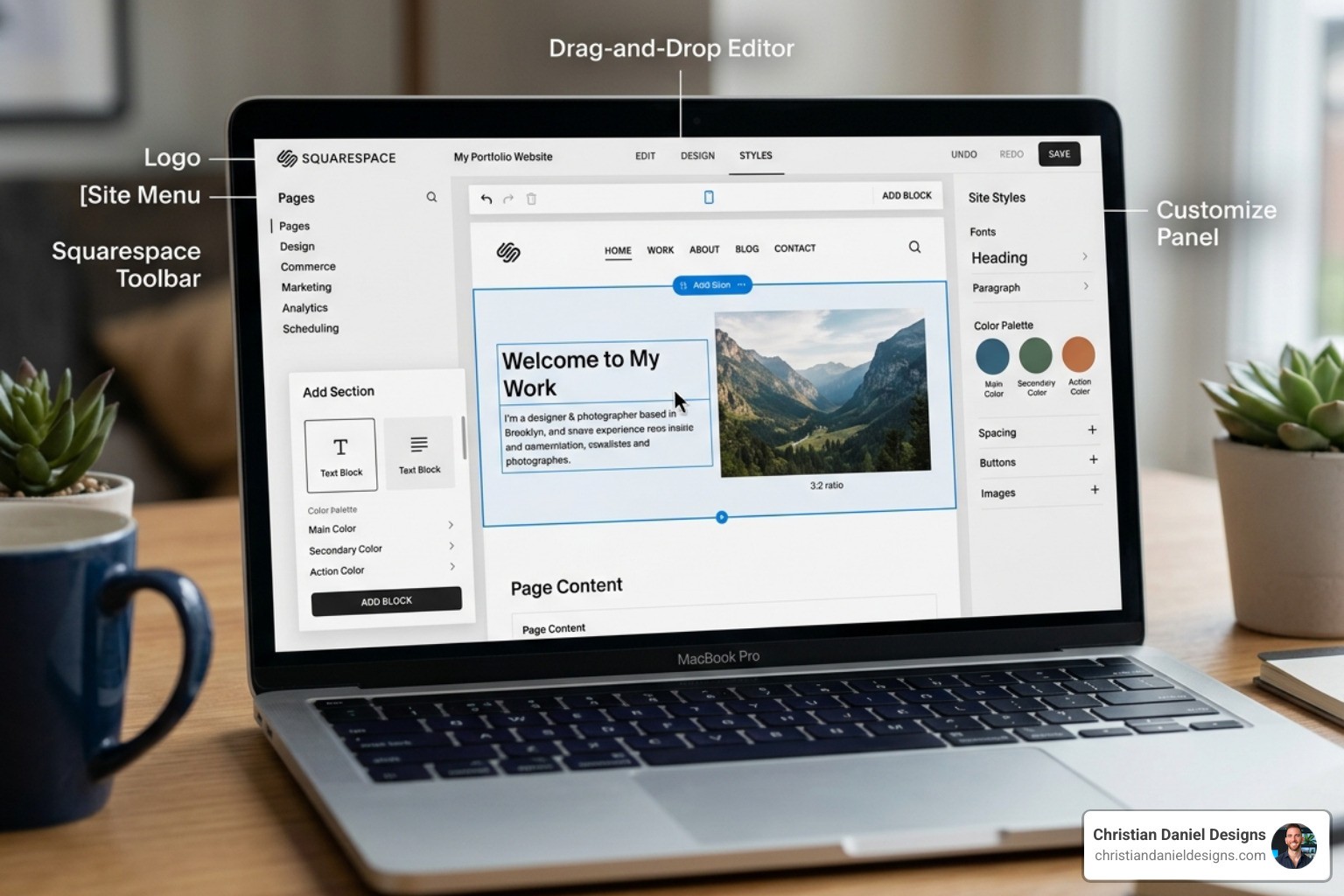
As you can see on the Website Builder – Easily Create Your Own Website — Squarespace page, the platform is built around a fluid, drag-and-drop editor. You don't need to worry about margins or padding in the way you might with other builders; the grid system keeps everything looking professional.
Key features included in almost every plan are:
24/7 Support: Their award-winning team is always available via email or live chat.
Mobile App: The Squarespace iOS app (rated 4.6/5) allows you to update your site, fulfill orders, and check analytics while you're on the subway or grabbing coffee in Queens.
Built-in SEO: You don't need a plugin to rank on Google. Squarespace handles the technical heavy lifting like sitemaps and clean HTML markup automatically.
Social Integration: Easily push your content to the Squarespace Facebook page (which has over 419K followers) or Instagram to keep your audience engaged.
How to Save Money on Squarespace
I'm always looking for ways to help my clients keep their overhead low. The easiest way to save is by choosing an annual subscription. This typically saves you about 30% over the year.
If you're a student, you can snag a massive 50% discount on your first year by using your university email address. Also, keep an eye out for coupon codes like "GIMME10" or "TEXT10" which often provide a 10% discount for new users.
Another "pro tip" I share is about domains. While Squarespace gives you a free domain for the first year with an annual plan, the renewal prices (around $20+) can be higher than third-party registrars like Namecheap. Similarly, while they integrate beautifully with Google Workspace, some small businesses find better value using Zoho Workplace for their custom email needs.
If you find that your needs are becoming more complex than a standard builder can handle, you might want to explore my work in WordPress E-Commerce Design to compare how different platforms handle scaling costs.
Mastering the Ecommerce and Marketing Tools
Squarespace isn't just for looking pretty; it’s a workhorse for revenue. With over $36 billion earned by entrepreneurs on the platform, the tools are proven.
When you dive into the ecommerce side, you'll find features like Squarespace Scheduling (powered by Acuity). This is a lifesaver for service-based businesses in NYC, like salons or consultants, allowing clients to book appointments directly on your site.
Other powerful marketing and sales tools include:
Member Areas: You can gate your content and sell subscriptions or online courses. This is perfect for fitness instructors or educators.
Email Marketing: You can send on-brand email campaigns directly from your dashboard, pulling in your site’s colors and products automatically.
Abandoned Cart Recovery: Available on higher tiers, this automatically emails customers who left items in their cart, which can significantly boost your conversion rates.
Advanced Shipping: Calculate real-time shipping rates with carriers like UPS and FedEx.
POS & Invoicing: Use the mobile app to sell in person at markets or send professional invoices to clients and get paid via Stripe or PayPal.
Frequently Asked Questions about Squarespace
Does Squarespace offer a free trial?
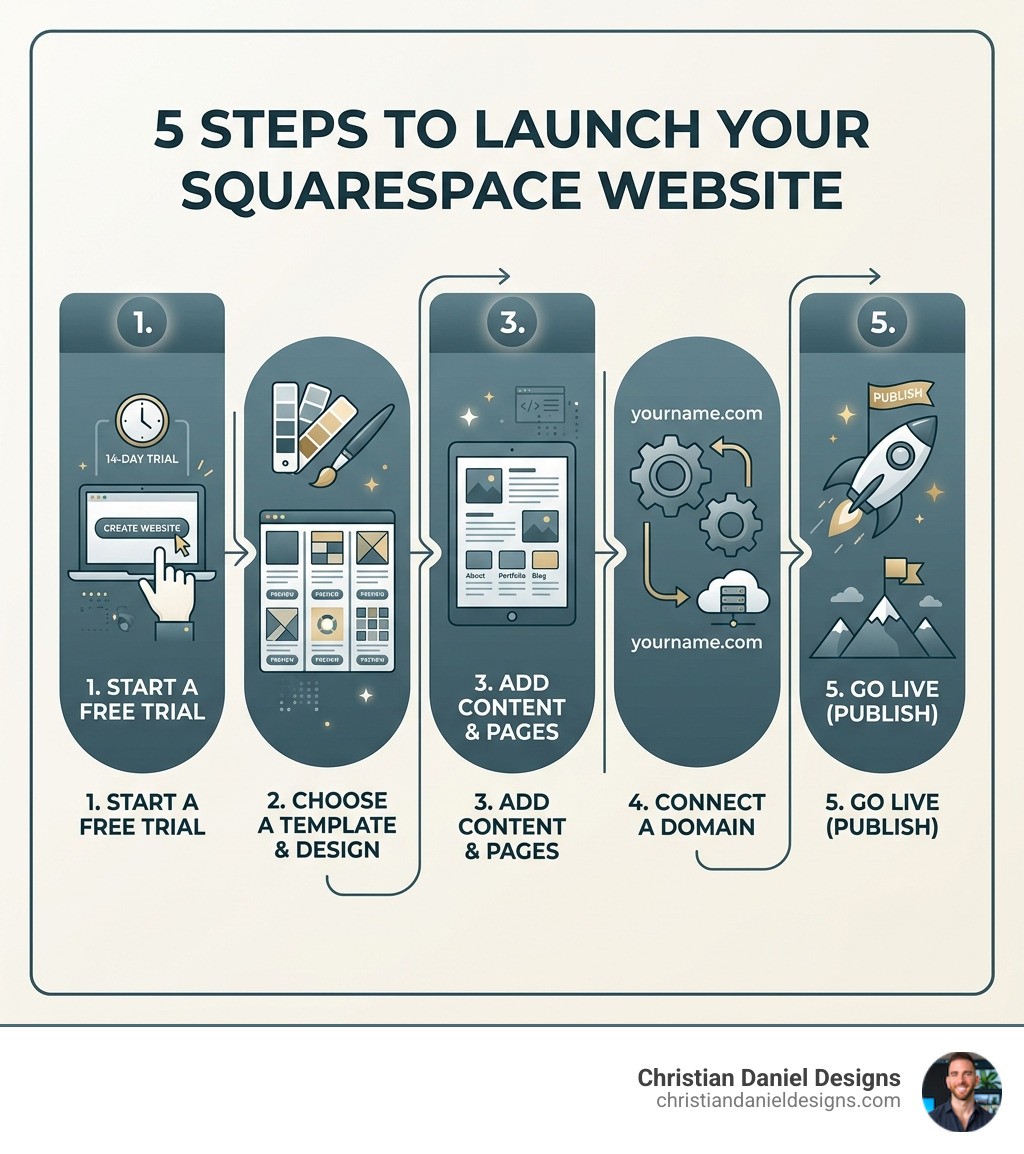
Yes! I always recommend starting with their 14-day free trial. You don't need to enter a credit card, so there’s zero risk. It gives you full access to the design tools so you can see exactly how your content will look before you spend a dime. If you need more time, you can usually request a one-time extension from their support team.
What makes Squarespace a strong choice for my website?
In my experience, it’s the balance of elegance and integration. You don't have to worry about your site breaking because a plugin updated incorrectly (a common headache with other platforms). Everything is built by the same team, so the email tools, the store, and the blog all work together seamlessly.
Is Squarespace suitable for beginners?
Absolutely. With over 14 million entrepreneurs served, the platform is designed for people who want to focus on their business, not on code. The pre-built templates are world-class, and the drag-and-drop interface is very intuitive. If you can use a computer, you can build a Squarespace site.
Conclusion
Building a website is one of the most important steps you can take to make your business "real." Squarespace provides a robust, beautiful, and scalable foundation for that journey. Whether you're just starting out with a Personal plan or scaling a global brand on the Advanced Commerce tier, the tools are there to help you succeed.
At Christian Daniel Designs, I specialize in taking these powerful tools and tailoring them to your specific brand story. Based here in NYC, I offer a unique blend of high-end web design and professional video editing under one roof. I believe that digital storytelling is the key to captivating your users and turning clicks into customers.
If you're looking for a custom-built project that leverages the best of Squarespace while providing a unique, high-converting experience, I'd love to help. You can find more info about custom web projects on my portfolio page. Let's build something amazing together!